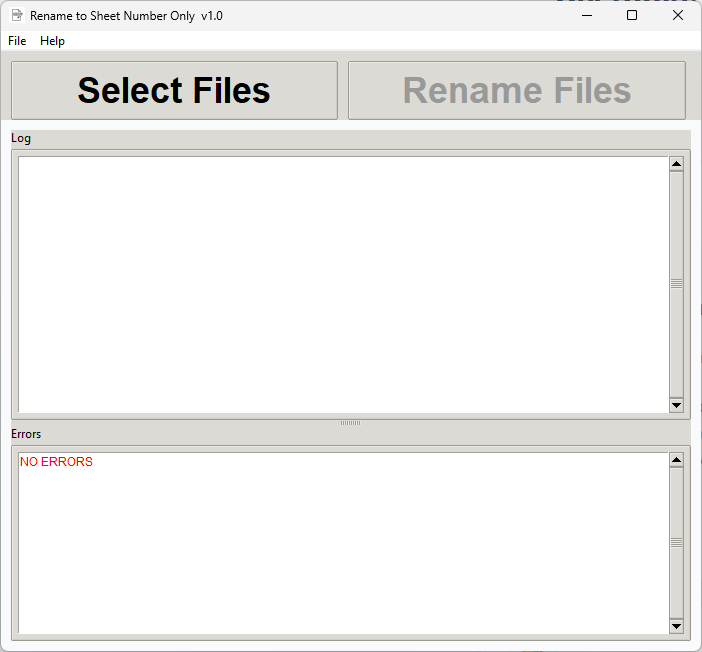
Many firms end up with exported PDFs named like "ProjectName_BuildingA_SheetE2.11_Rev3_2026-03-01.pdf" when all that's needed for a clean folder is "E2.11.pdf". This tool strips everything except the sheet number from a batch of filenames, using AEC sheet numbering conventions to detect which part of the filename is the actual sheet number. It handles common naming patterns without requiring manual configuration โ just point it at a folder and go.
PDF exports from Revit and AutoCAD often come out with long filenames that include project information, revision numbers, dates, building codes, and other metadata. It makes sense in the context of your Revit model or file system organization, but for creating a clean, organized submission package or working folder, you just need the sheet number.
You end up with filenames like "ProjectName_BuildingA_SheetE2.11_Rev3_2026-03-01.pdf" or "ACME_Corporate_MEP_Composite_M5.02_Electrical_Rooms_Updated.pdf" when really you just want "E2.11.pdf" or "M5.02.pdf". The metadata is noise. It makes folder listings harder to scan, it complicates your naming conventions, and when you're organizing files for submission, it adds visual clutter.
You can rename files manually โ but when you have 200 PDFs to rename, that's tedious and error-prone. You might misidentify a sheet number, or miss a file, or introduce typos in the names. And if you need to reverse the operation, you've lost the original names.
Rename to Sheet Number solves this by automating sheet number detection. The tool identifies the actual sheet number in each filename using AEC numbering conventions, strips everything else, and produces clean filenames. Preview everything before you commit, and a log keeps the original names so you can trace back if needed.
Point the tool at your folder of exported PDFs. It scans all files and analyzes their names, looking for AEC sheet number patterns.
See exactly what each file will be renamed to before you commit to anything. The tool shows the original name and the proposed new name for every file. Check for edge cases or unusual filenames, and adjust if needed.
All files are renamed to just their sheet number. A rename log is saved showing the original and new names for every file, so you can always trace back if needed.
Recognizes sheet numbers from complex filenames using AEC numbering conventions. Handles A1.01, E2.11A, M4.1.1, and all standard discipline and sequence formats.
See every rename before anything changes. Review the list, catch any edge cases where the tool misidentified the sheet number, and make adjustments if needed. No surprises.
A complete log of every rename is saved โ original filename, new filename, and any notes. If you ever need to reverse the operation or trace a sheet, the log has everything.
Works with typical export patterns from Revit and AutoCAD. Ignores project names, dates, revision numbers, and other metadata. Focuses on finding the actual sheet number.
Original filenames are preserved in the log. If you need to undo the operation or trace which new file corresponds to which original export, you have a complete record.
Rename 50 files or 500 files in one operation. The tool processes entire folders, not individual files. Perfect for cleaning up large exports all at once.