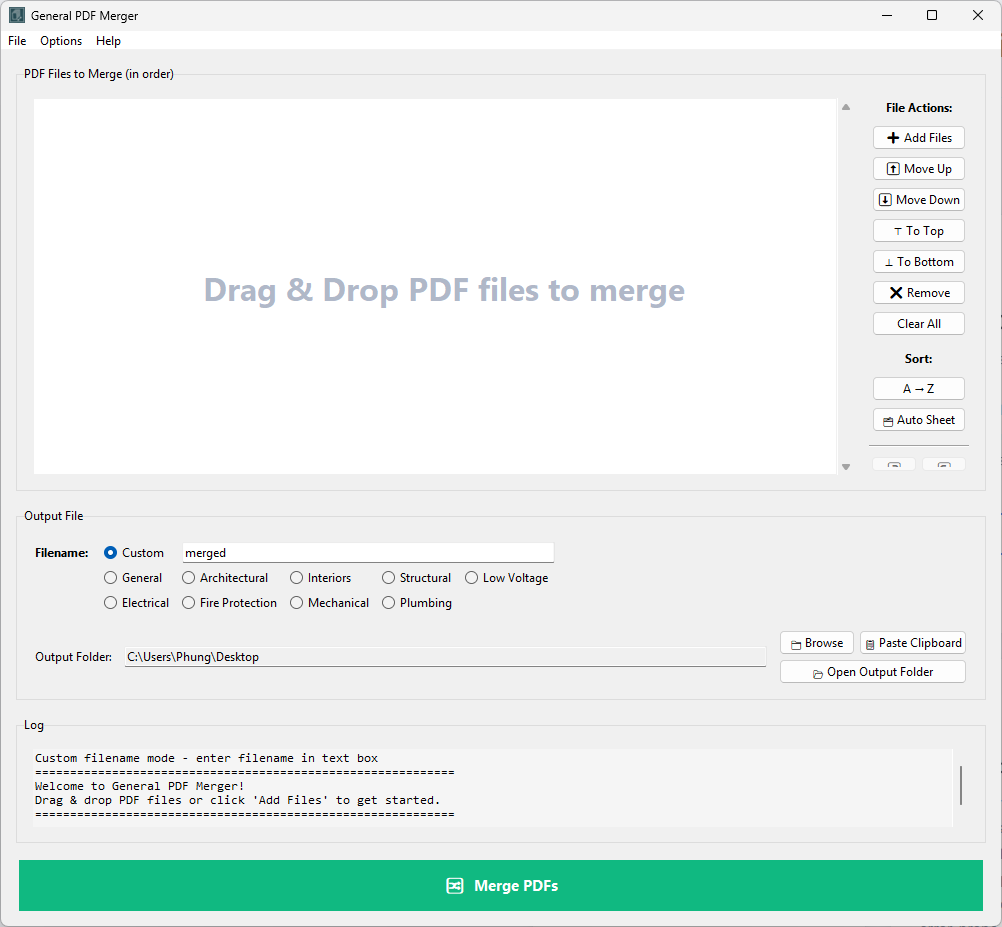
Combine any PDFs in any order โ drag them in, arrange the sequence, name the output, and merge. Individual sheet PDFs automatically get a bookmark and page label from their filename; multi-page files keep their existing bookmarks intact. The clean tool for any combination job that falls outside a structured workflow.
Not every PDF merge job fits a structured discipline workflow. Sometimes you need to combine a spec section with a few drawing sheets for a submittal package. Sometimes you're assembling a progress set from files scattered across multiple folders and project phases. Sometimes you just need to take three PDFs and turn them into one, in a specific order.
The discipline-aware PDF Merger is perfect when you're handling hundreds of sheets and need to sort them into structured discipline sets. But using it for a simple three-file merge feels like overkill. What you actually need is something faster and simpler โ a tool that doesn't care about sheet numbers or discipline prefixes, just lets you pick your files, order them, and merge.
General PDF Merger is that tool. No sheet numbering convention detection. No discipline sorting. No complexity. Just a clean, intuitive interface for taking any PDFs from any folders, arranging them in the order you want, and producing a merged file with proper bookmarks and page labels.
Add files from any location, in any combination. Pull files from your project folder, a vendor folder, archival records โ wherever they live. The tool doesn't care about file location or naming convention.
Drag files up or down in the list to set the order you want. A cover sheet at the top, technical specs in the middle, drawings at the end โ whatever order makes sense for your submission or package.
Give the merged file a name, choose where to save it, and click Merge. The combined PDF is created with bookmarks for each file based on their original filenames, and page labels carried through from source file names.
Pull PDFs from anywhere โ different projects, different vendors, different phases. No naming convention required. Mix and match freely.
Visual drag-and-drop reordering. See the sequence you're creating before you merge. Rearrange until the order is exactly right for your submission.
Bookmarks are generated automatically from the original filenames. "SpecSection3.pdf" becomes a bookmark called "SpecSection3" in the merged file.
If one of your source files is a multi-page PDF with existing bookmarks, those bookmarks are preserved in the merged output. No loss of internal structure.
Source filenames become page labels in the merged PDF. Navigation pane shows clear labels for each section, making navigation intuitive.
No complex options or settings. No sheet number detection, no discipline sorting, no coordinate correction โ just straightforward PDF merging.