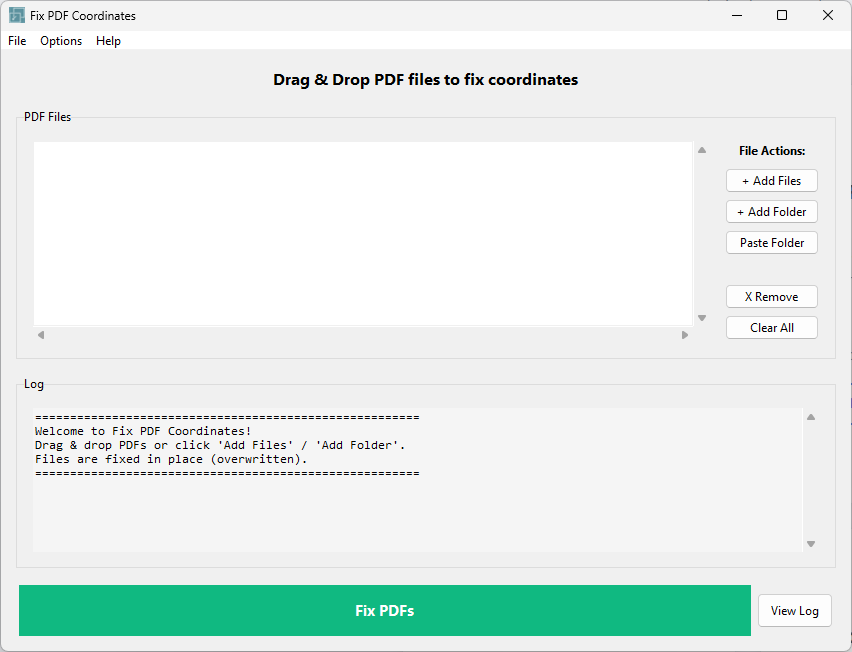
Revit's built-in PDF exporter writes pages with a centered coordinate origin instead of the standard bottom-left โ your sheets look fine, but Bluebeam Batch Sign & Seal places every stamp in the wrong spot. Fix PDF Coordinates rewrites the internal geometry of your entire export in seconds, leaving the visual output identical while making the math correct. Drop your folder in, click Fix, and your stamping workflow runs exactly as expected.
Bluebeam Batch Seal is a standard part of the AEC permit submission workflow. It's fast, it's reliable, and it's how firms at scale handle signature and seal placement on hundreds of sheets. But when sheets are exported from Revit, there's a problem that breaks the entire process: Bluebeam places every stamp in the wrong location.
The sheets look correct visually. You can read them, review them, print them โ they're perfect. But internally, Revit's PDF exporter writes the coordinate origin at the center of the page instead of the standard bottom-left corner. Bluebeam uses those internal coordinates to calculate where to place stamps. The result: every single stamp is offset by roughly half the sheet dimensions.
You can work around it โ manually place stamps, use a different export method, adjust Bluebeam seal definitions for each sheet size. But these are all band-aids on a problem that has a real solution: rewrite the internal PDF coordinate geometry. That's exactly what Fix PDF Coordinates does, and it does it to an entire folder in seconds.
Select the folder containing your Revit-exported PDFs. No sorting or renaming needed. The tool scans all PDFs in the folder.
The tool rewrites the internal coordinate geometry of every PDF in the folder. The visual content is completely unchanged โ the sheets look identical before and after. Only the internal math is corrected.
Your corrected PDFs are ready. Stamps land exactly where you defined them in your Bluebeam seal definition, with no offset errors, regardless of sheet size or orientation.
Transforms the coordinate system from Revit's centered origin to the standard PDF bottom-left origin. Visual output is pixel-perfect identical.
Process an entire folder of exported PDFs in seconds. No file-by-file waiting. Whether it's 50 sheets or 500, the tool handles them all at once.
Safe to run on the same files multiple times. If a PDF is already coordinate-correct, running the tool again produces no change โ no risk of double-correction.
Works on any Revit-exported PDF regardless of sheet size โ 18x24, 24x36, 36x48, or any custom dimension. The math works for all of them.
After correction, Batch Seal stamp definitions work exactly as designed. No offset compensation needed. One seal definition works across all sheet sizes.
See which files were processed, which were already correct, and any files that couldn't be modified. Full transparency on what the tool did.