๐Ÿ—๏ธ Permit Submissions

Split permit sets by building. On deadline.

Some AHJs require permit submissions split by building โ€” but it's always a last-minute request and doing it manually under deadline is where mistakes happen. Set up your sheet index once, mapping each sheet to the building it belongs in, and every future reissue is one click. Sheets can live in multiple buildings, the index is reusable forever, and what used to cost hours of careful sorting is handled before the deadline pressure sets in.

โœ“ Reusable sheet index โ€” set up once, use for every reissue
โœ“ Sheets can belong to multiple buildings simultaneously
โœ“ One click to split entire submission on deadline
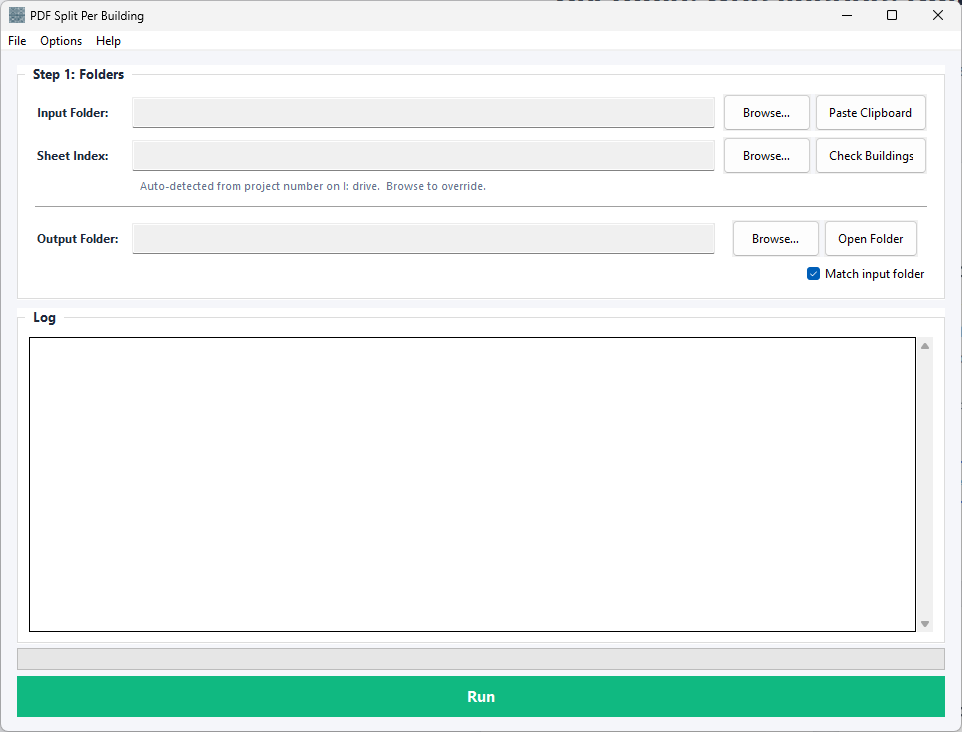
PDF Split Per Building Interface

The Problem

Many AHJs require permit submissions to be split by building, especially on multi-building campuses or complex sites. Building A drawings in one PDF, Building B drawings in another, shared site and structural sheets distributed to both packages. It's a reasonable request from the jurisdiction โ€” it ensures that the contractor for each building has exactly the sheets they need without irrelevant material.

But it's also almost always a last-minute discovery. You've prepared the full submission, you're hours from the deadline, and suddenly the AHJ says "these need to be split by building." Now you're manually sorting 300 sheets, carefully pulling out everything that belongs to Building A, then Building B, making sure site sheets go to both, triple-checking that nothing got missed. Under deadline pressure, this is exactly when sorting errors happen. A sheet gets missed. A sheet that should have gone to Building B is left in Building A. The mistake isn't caught until the contractor is already framing.

PDF Split Per Building eliminates the deadline panic. You set up the building index once when the project starts โ€” or during early permit prep โ€” and every future reissue is handled in seconds. Sheets can live in multiple buildings. The index is reusable forever. What used to take hours of careful manual sorting becomes a one-click operation that happens well before the deadline pressure.

How It Works

1

Set up your sheet index

Create your building map once โ€” which sheets belong to which building. This is a simple interface where you select each sheet and assign it to one or more buildings. Sheets that belong to multiple buildings (site plans, structural, shared specs) are assigned to all of them. This index is saved and reusable for every future reissue.

2

Point to your current submission

Select the combined PDF or folder of individual PDFs for your current submission. The tool will split according to the building index you created.

3

Split

A separate PDF is created for each building, containing only the sheets assigned to it in the correct order. Output is ready to submit to the AHJ with confidence that nothing was missed and no irrelevant sheets were included.

Key Features

๐Ÿ“‘

Reusable Sheet Index

Set up once, use forever. Your building map is saved and ready for every future reissue. No rebuilding the index each time you submit.

๐Ÿข

Multi-Building Sheets

Sheets belong to multiple buildings if needed. Site plans, structural, shared specs โ€” assign them to every building that needs them. They appear in multiple output PDFs automatically.

๐Ÿ“„

Combined or Individual Input

Whether your submission is one giant combined PDF or a folder of individual sheet PDFs, the tool handles both. Splits correctly regardless of input format.

๐Ÿ“‹

Proper Sheet Ordering

Output PDFs are properly ordered within each building. Cover sheets first, then sequences in AEC order, not alphabetical. Each building packet looks professional.

โšก

One-Click Splitting

After index setup, splitting your current submission takes seconds. Perfect for last-minute AHJ requests. The deadline stress disappears because the work is done before pressure sets in.

โœ“

Index Validation

Before splitting, verify that every sheet in your current submission has a building assignment. See which sheets haven't been mapped yet, and handle edge cases before output.

Handle multi-building permits without the deadline panic.

Try PDF Split Per Building free for 30 days. No credit card required.

Start Free Trial